
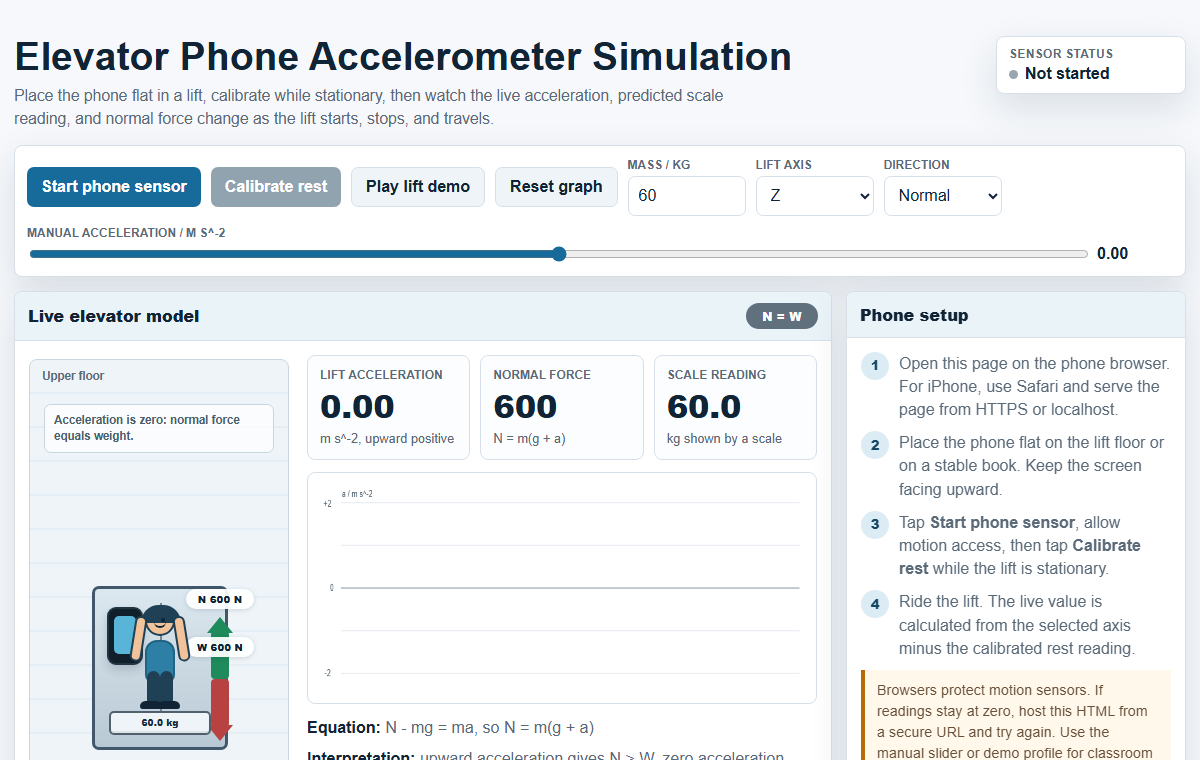
Interactive elevator phone accelerometer simulation for Newtonian mechanics: this browser-based model lets students use a phone accelerometer or a manual acceleration control to investigate normal force, weight, apparent weight and weighing-scale readings in a lift.
The activity goes beyond a static worksheet: learners observe live force arrows, calculate the scale reading, answer auto-marked questions, receive targeted hints, and generate xAPI/SLS-friendly learning evidence for teachers.
Resource type: HTML5 JavaScript physics simulation, phone sensor activity, auto-marked xAPI quiz package
Topic: Newtonian mechanics, dynamics, normal force, weight, apparent weight, elevator acceleration
Run the simulation Download SLS/xAPI ZIP Open direct HTML
Open the interactive
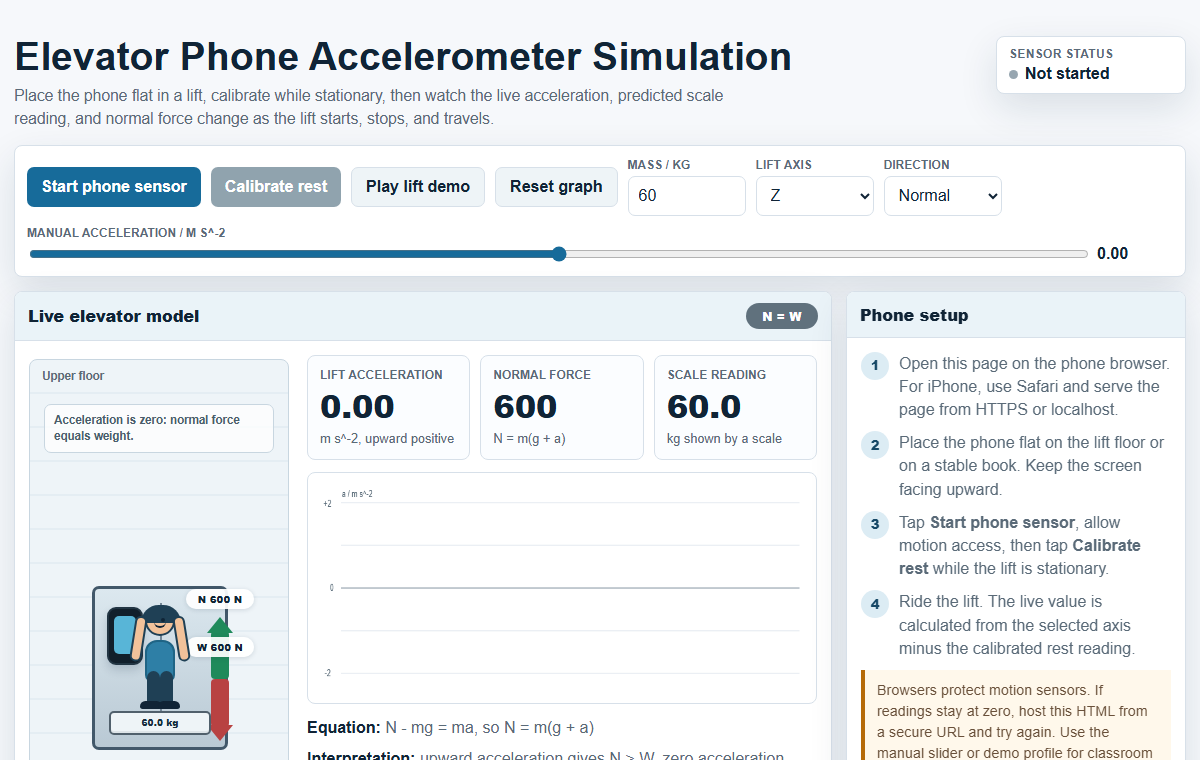
Use the green button above or the preview image to launch the simulation. Opening it directly is the most reliable way to allow phone motion-sensor permission and xAPI/SLS activity tracking.
Launch the elevator phone accelerometer simulation in a new tab
Why this activity is useful
Many students can recite that weight is mg, but still confuse weight with the normal contact force shown by a weighing scale. This simulation makes the distinction visible: the weight arrow remains approximately constant near Earth, while the normal force and scale reading change when the elevator accelerates.
The model is intentionally static in position. The lift cabin does not travel up and down on the page; instead, the changing arrows and readings focus attention on the force balance. That design choice helps students reason from Newton's second law rather than from a distracting animation.
Physics model
- Weight: W = mg, acting downward.
- Normal force: N = m(g + a) when upward acceleration is positive.
- Scale reading: N / g, displayed as an apparent mass in kilograms.
- If the lift accelerates upward, N > W and the person feels heavier.
- If the lift accelerates downward, N < W and the person feels lighter.
- If acceleration is zero, including constant velocity, N = W.
Suggested classroom flow
- Ask students to stand safely in a stationary lift with a phone and predict which sensor reading will change during starting, stopping and constant speed.
- Use the webpage accelerometer mode to record real acceleration evidence, then switch to manual mode to replay idealised upward, downward and zero-acceleration cases.
- Have students compare the green normal-force arrow with the red weight arrow and state whether N > W, N = W or N < W.
- Use the auto-marked activity to check calculation fluency, conceptual understanding and interpretation of phone sensor readings.
- Review the teacher analytics and xAPI/SLS learning evidence to identify which misconceptions need reteaching.
Digital assessment and xAPI
The web activity includes auto-marked multiple-choice and structured questions converted from the student handout, answer key and lesson plan. The xAPI live feedback records the question text, student answer, correct answer, score and running progress, making the activity more useful than a downloadable PDF alone.
Teachers can use the downloadable ZIP in SLS or other xAPI-aware platforms. The package is designed to open from index.html and report richer learning evidence than a simple completion statement.
Good questions for students
- When the elevator moves upward at constant speed, why does the scale reading return to the normal value?
- Which force changes when the elevator accelerates: weight, normal force, or both?
- How can a phone accelerometer graph help decide whether the lift is starting, stopping or moving at constant velocity?
- Why does the weighing scale show apparent weight rather than gravitational weight?
Credits and license
Designed by Loo Kang Wee for Open Educational Resources / Open Source Physics @ Singapore. This resource supports classroom use of HTML5 simulations, phone sensors, auto-marked activities and xAPI evidence in physics learning.
Contents are shared for educational use under the Creative Commons Attribution-Share Alike 4.0 Singapore License unless otherwise stated. Commercial use of the Easy JavaScript Simulations library follows the EJS license terms.